Blog / Website planning
How to Build a Clothing Size Guide Shoppers Can Actually Use
Plan a clothing size guide with clear garment measurements, fit notes and a mobile layout that keeps the selected size when shoppers return to the product.
By DigiCrafts · 5 November 2026
Why “M” is not an answer
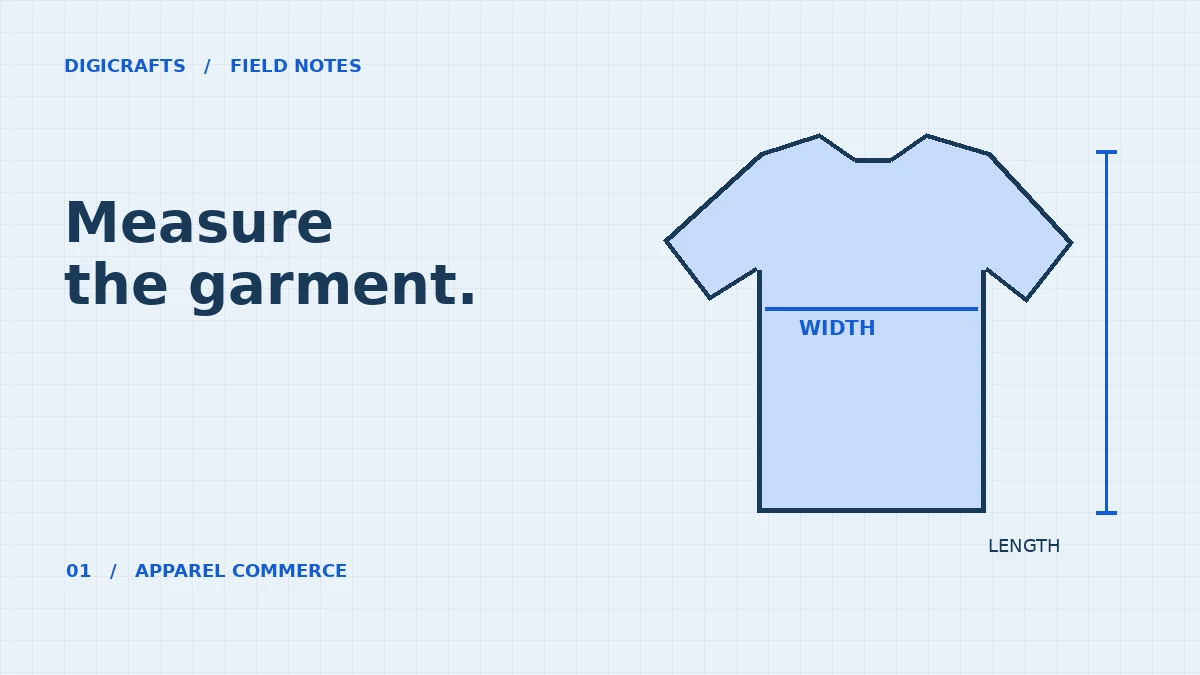
A shopper has a T-shirt that fits and a tape measure. Your product page says the medium measures 52 cm. Is that the distance across the shirt or all the way around it? Until the page answers that question, the shopper cannot use an otherwise accurate number.
Pick one measuring method per chart
Label the table Garment measurements, laid flat or Recommended body measurements. For a flat shirt, show the start and end of the chest measurement in a diagram. For body measurements, explain where the tape goes on the person. Keep the units in the column heading, even when the table is viewed on a phone.
Show the calculation with a real object
Here is a worked example with illustrative numbers. Your favourite tee measures 51 cm across the chest when laid flat. A store lists its medium at 52 cm flat: the new tee is 1 cm wider across the front, or roughly 2 cm more around the garment. That comparison says nothing about the shoulders or sleeve opening. Compare those separately if they affect the cut.
Explain fit in the language of the garment
For trousers, someone may care more about rise and inseam than the size letter. For a compression top, comparing it to a loose cotton shirt will mislead. Write a fit note for that particular style. If the pattern changes between collections, give the new style its own chart rather than silently changing the guide used by older stock.
Keep the size selector within reach
Put the guide beside the size choices. On a phone, try selecting a colour, opening the guide, reading the largest size and closing it. The same colour and size should still be selected, and the shopper should be back at the purchase controls. A table that requires sideways scrolling needs a visible cue and a first column that stays understandable.
What to hand your website designer
Supply one approved chart per distinct cut, the measurement method, units, a front-view sketch and a named person who can approve corrections. Before launch, pick one garment from stock and compare the published guide with the sample. For the wider storefront brief, see our ecommerce website design service and the Stryde Athleisure project.
Have a project in mind?
Share your requirements with DigiCrafts. We operate from Delhi and Mumbai and work remotely with businesses in India and overseas.